
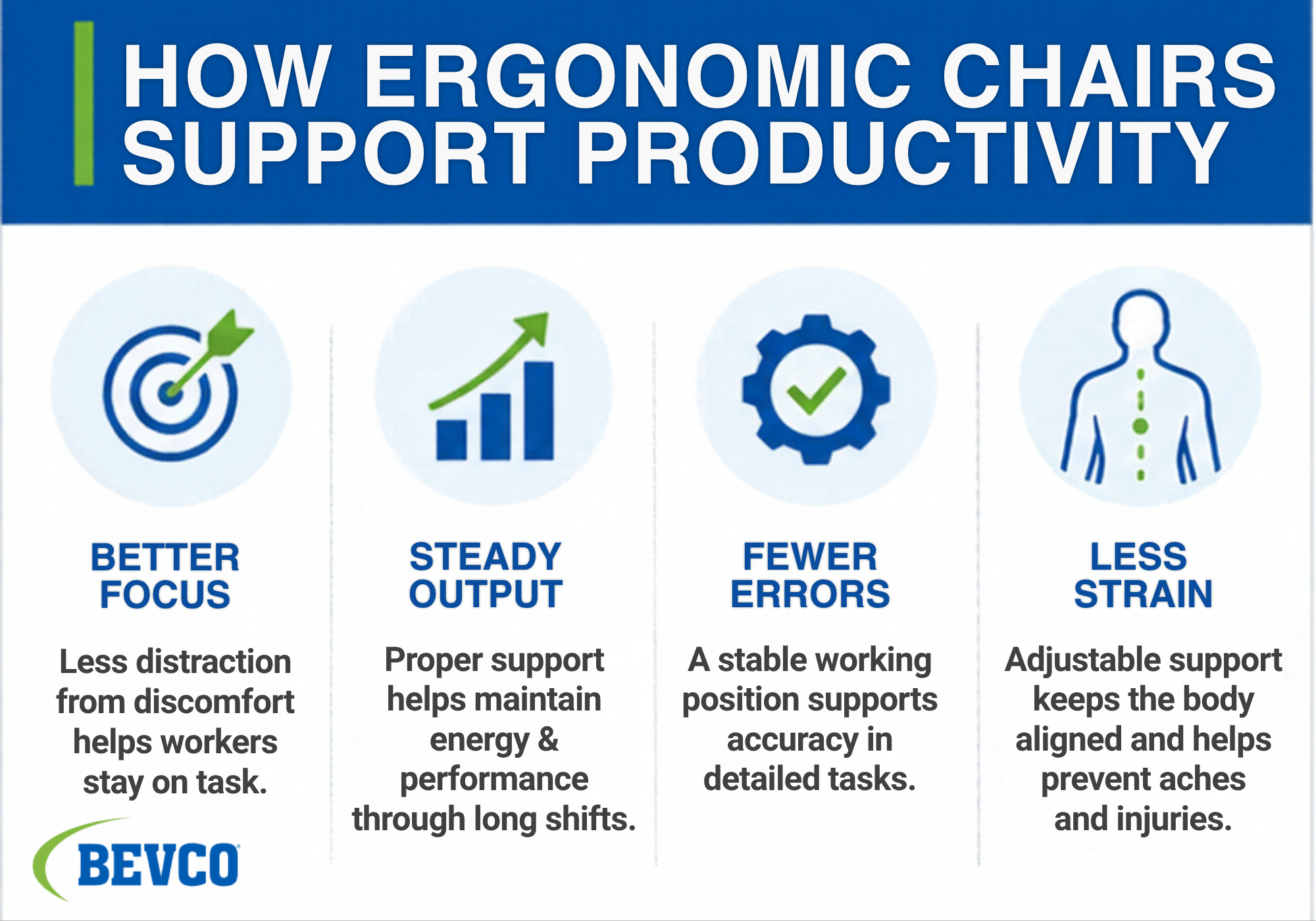
The Short Answer: One of the biggest ergonomic chair benefits is productivity. When an adjustable chair fits the worker and the task, it can reduce physical strain, help workers maintain comfortable working positions, and support focus during long shifts. Those benefits can reduce fatigue, distractions, errors, and absences.
Comfort and proper support are not the goal on their own. They help facilitate productive work across the company and task. A worker fighting an uncomfortable chair is distracted, and over a full shift that lost attention adds up. Adjustable, ergonomic seating helps boost productivity in the workplace in several specific ways. Getting the chair wrong carries a real cost, so it helps to know what to look for before you choose one.
The Real Cost of Poor Seating
A cheap chair can still turn out to be expensive. The low purchase price is the only part you see upfront. The real cost shows up later through lost output, physical strain, and repetitive aches that pull workers away from their stations.
When office workers and production staff sit in chairs that fail to support them, poor posture sets in quickly. Muscle fatigue builds, and sharp focus begins to slip. Uncomfortable seating acts as a steady drain on overall job satisfaction and employee well-being.
The Toll of Injuries & Broken Hardware
The higher operational cost comes from injury. A work-related injury tied to improper seating can lead to restricted duty, medical claims, and lost shifts.
Fitting the workstation to the person helps lessen muscle fatigue, improves productivity, and reduces the frequency of musculoskeletal disorders. Upgrading to proper ergonomic seating is one of the simplest solutions a facility can put in place. It protects daily safety just as much as it supports output.
When facility managers evaluate seating solely as an overhead line item rather than production equipment, hidden costs accumulate. Cheap foam collapses within months, mechanical adjustments loosen, and structural components wear down. The facility ends up having to repurchase budget furniture repeatedly while absorbing the continuous indirect costs of worker downtime, slower output rates, and avoidable safety claims.
Worker Discomfort Drags Down Focus
Discomfort acts as a constant interruption. When a seat fails to provide proper support, workers stretch, shift positions, and readjust their posture to relieve pressure on the lower body. A worker bracing against a hard edge or slumping into a collapsed seat loses part of their attention on the chair instead of the task in front of them.
Each small movement breaks concentration, and the repeated breaks are time the job never gets back. When employees have to fight poorly built seating, their attention drifts toward managing physical aches rather than the job at hand.
How Physical Fatigue Triggers Costly Production Errors
This loss of focus causes major setbacks in detailed assembly and technical workspaces. Workers set at an incorrect height relative to their bench or desk quickly develop physical strain in the neck and shoulders. In settings where measurements must be exact and parts must align correctly, physical fatigue leads directly to avoidable mistakes.
Investing in an ergonomic workstation that pairs supportive chairs with the task removes friction, keeps posture balanced, and helps boost productivity across the team.
Steady Support Keeps Output High
Output drops rarely happen all at once. Instead, performance fades as a work shift wears on. An operator who starts the morning alert and comfortable often ends the afternoon sore, stiff, and moving noticeably slower.
That late-shift slowdown is directly related to a chair that stopped giving adequate physical backing hours earlier. When seating lacks proper lumbar support, the body spends constant muscular effort simply staying upright, draining energy that should go directly toward daily production goals.
Preventing the Slowdown with Adjustments
Adjustable features hold physical energy steady through the entire shift. Shifting the lumbar support, backrest angle, and seat height to fit the worker helps prevent spinal compression and supports healthy blood flow through the legs. This continuous support keeps operators from wasting stamina on posture correction alone.
Maintaining full spinal contact also gives muscles a chance to relax while staying aligned. When workers can shift positions safely without sacrificing lower back support, their physical stamina lasts longer, keeping cycle times steady and predictable.
Proper Fit Protects Accuracy
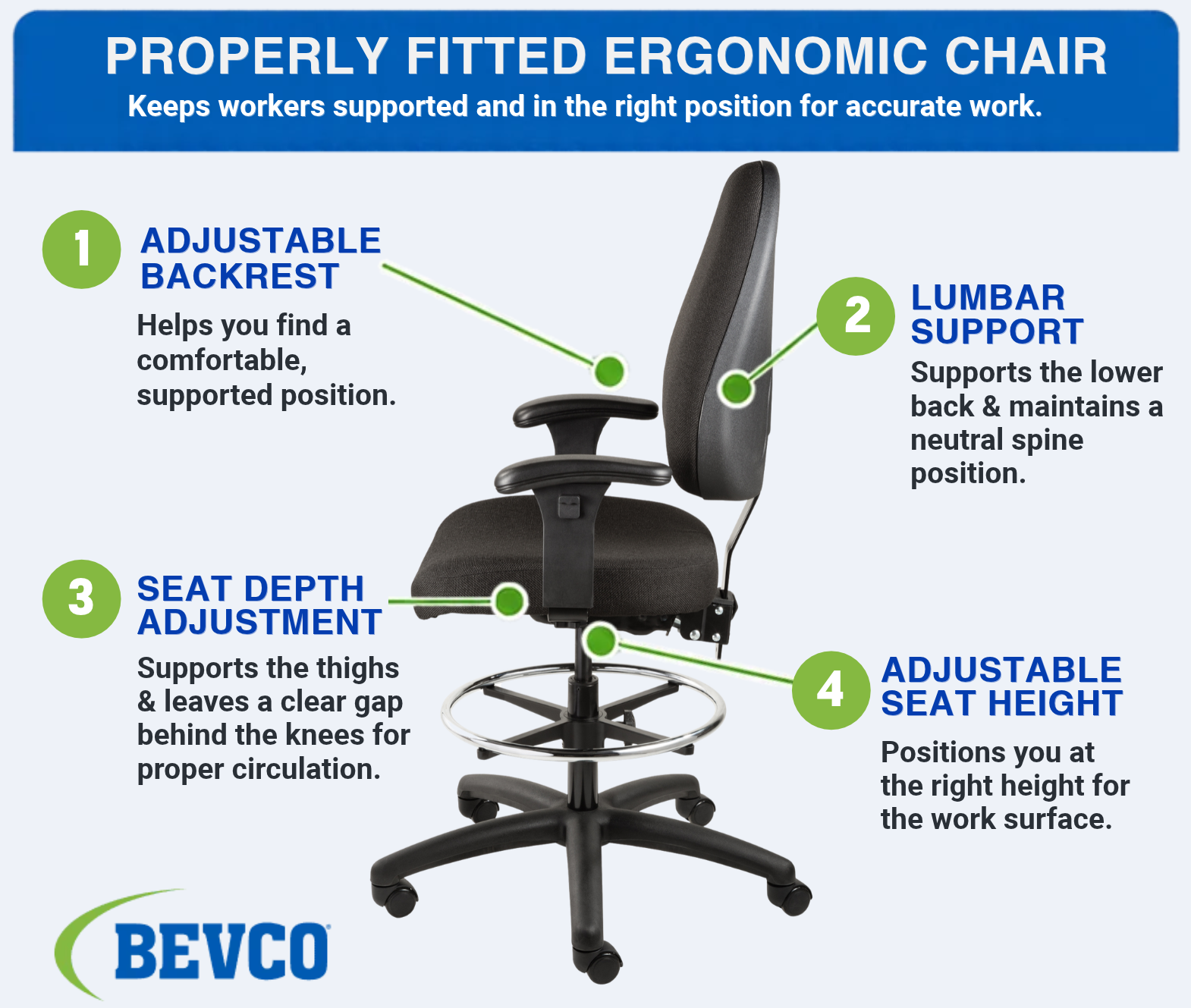
Fit matters most in high-consequence environments like test labs, cleanrooms, and assembly lines. Setting the proper seat depth allows the worker to sit back against the lumbar support while keeping a clear gap behind the knees. This keeps legs resting naturally with knees and hips roughly aligned, supporting good circulation.
Materials That Fit the Job
Chairs built with breathable materials and intentional ergonomics are designed to adapt to the specific needs of the job. When the seat properly supports the person, they hold a stable sightline and steady hands, protecting the accuracy the work depends on.
What Happens Without Enough Seat Depth
When workers sit without proper thigh support or seat depth, they tend to slide forward toward the edge of the seat pan. Perching on the front edge cuts off blood flow, tightens the lower back, and destabilizes the upper body. Dedicated depth adjustments allow workers of any build to lock in a stable working base.
Match the Chair to the Environment & the Task
Standard commercial chairs often rely on decorative plastic housings and light fabrics that break down when exposed to oils, sanitizers, or multi-shift rotation. Industrial settings need heavy-duty steel mechanisms, puncture-resistant polyurethane, or static-dissipative upholstery that holds up under tough working conditions.
Finding the right setup starts with evaluating how your team works and moves. Follow ergonomic best practices by matching seat height to the primary work surface and positioning displays at eye level using monitor arms to prevent neck strain.
Bevco manufactures seating in Wisconsin designed specifically for hands-on, high-consequence work environments. Every model is built to meet strict ANSI/BIFMA performance standards, providing dependable support across manufacturing floors, cleanrooms, and medical facilities.
Start with the Chair Configurator to build the exact chair you need, connect with an authorized Bevco distributor to place your order, or try one first through the sample program, a full 30 days with the chair, and you only pay if you keep it.
Request a QuoteFrequently Asked Questions
Do ergonomic chairs actually improve workplace productivity?
Yes, ergonomic chairs do improve workplace productivity. An ergonomic chair keeps workers comfortable and balanced, so they stay focused, hold a steady pace through long hours, and make fewer mistakes. It also lowers the risk of the aches that cause missed shifts, which keeps the whole team’s output steady.
How does an uncomfortable chair cause physical strain?
An uncomfortable chair causes physical strain by forcing awkward posture and putting extra pressure on the lower back and legs. To make up for it, workers slouch, hunch, and tense their shoulders. That constant strain builds muscle fatigue, drains energy, and pulls attention off the work.
What health benefits come from using adjustable chairs?
Adjustable chairs come with real health benefits. A properly set chair keeps the spine in a neutral position, takes pressure off the lower back, and supports blood flow during long periods of sitting. Over time that lowers the risk of musculoskeletal disorders and chronic back pain.
Are industrial ergonomic chairs worth the investment compared to basic commercial furniture?
Industrial ergonomic chairs are worth the investment over basic commercial furniture. Commercial office furniture is not built for multi-shift use, harsh cleaning chemicals, or specialized shop floors. Industrial ergonomic seating stands up to those conditions, supports workers through long hours, and avoids the constant replacement cycle of cheaper chairs.
How do I determine the right seat height for my workstation?
To determine the right seat height for your workstation, measure the distance between the floor and the working surface of your bench or desk. The chair should adjust so your elbows sit at a natural 90-degree angle to the work surface while your feet stay flat on the floor or on an adjustable foot ring. Our seat height guide walks through the measurements.
Why is seat depth adjustment important for full shifts?
Seat depth adjustment matters for full shifts because it keeps the back of your knees off the seat edge while your lower back stays against the backrest. That clearance protects blood flow to your legs and feet and prevents the stiffness and numbness that come with long sitting.